A cookie banner that asks the right way
The same script shows the consent banner, records every decision and sets up Google Consent Mode v2 for you. Declining is as easy as accepting.
The banner collects consent and gates Conseto's own measuring and the Meta pixel. It does not block scripts from outside Conseto.
What it does
In the browser's language
Shown in the browser's language when the banner has it (list below). English otherwise.
Consent Mode v2
Set up for you, so GA4 and Google Ads receive the visitor's decision.
Record of consent
Every decision is stored with a timestamp. Exporting the record is from the Starter plan.
Consent analytics
Shows how many visitors decide and what they choose, over time.
A banner in 10 languages
A visitor sees it in the language of their browser when it is one of these. Everyone else sees it in English.
- English
- Slovak
- Czech
- German
- Polish
- Hungarian
- Dutch
- French
- Italian
- Spanish
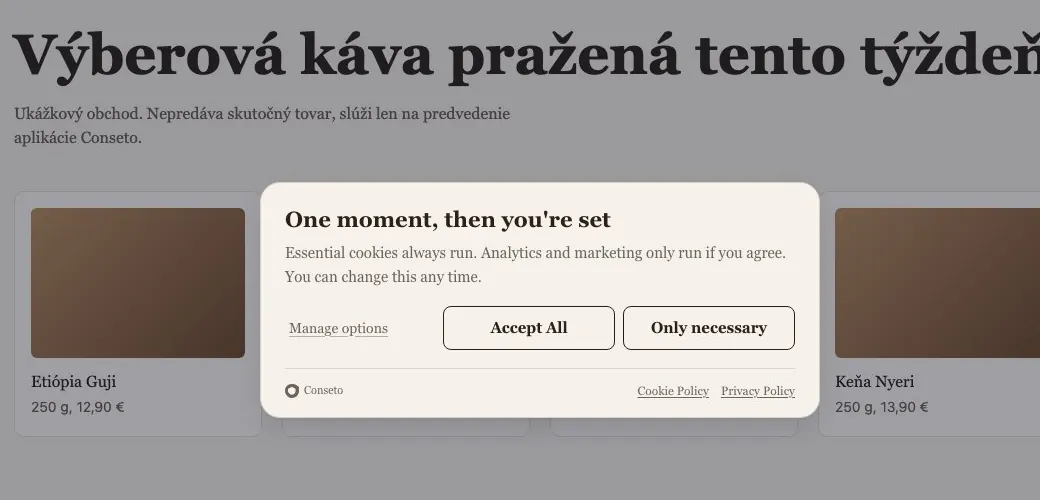
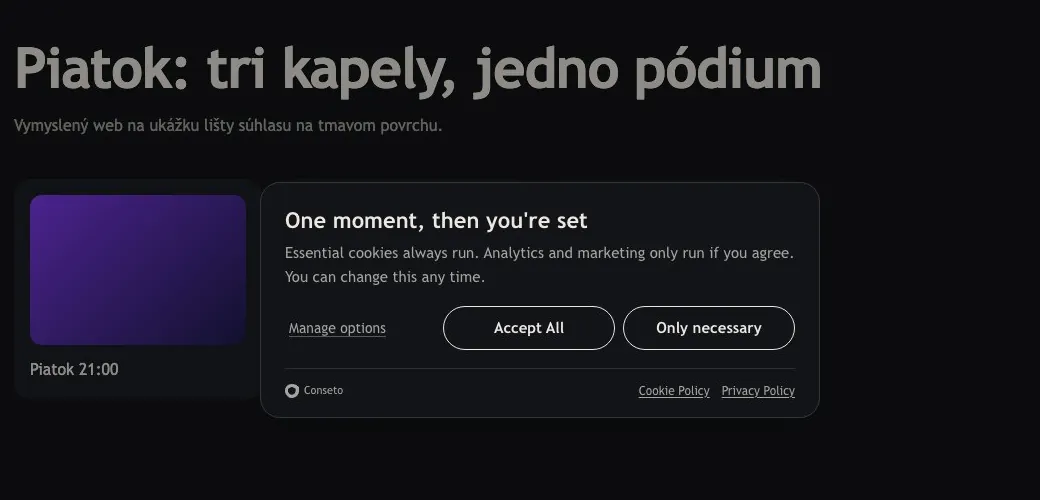
The banner fits your site.
It takes the font, the surface, the text colour and the corner radius from the page. By default, with nothing to set. The structure stays fixed and fair: a window in the middle, a short text, and Reject as easy as Accept.
- 13%
- of a desktop screen is taken by the Conseto banner. The sample median is 29%.
- 19 words
- in its Slovak text. The sample median is 76.5.
- 25%
- of sites in the sample make Reject as prominent as Accept (90 of 366). The Conseto banner does.
The Conseto banner measured on Demo pražiareň at 1280 × 800, 4 Nov 2026. Sample: 366 Slovak and Czech sites with a consent banner from the Tranco list, 4 Nov 2026.
How you turn it on
Add the same script
The banner runs in the script you already have for analytics. You install nothing else.
Set the banner text
You write the text and categories in settings, and Conseto shows them to every visitor.
Watch consent come in
You see the decisions in your overview. From the Starter plan you can export the record as proof.
Which plan
The banner is on every plan. Free shows the Conseto mark on it; from Starter you can turn it off and you get the record export.
- Free
- Conseto mark shown · no record export
- Starter
- mark can be turned off · record export
- Business
- mark can be turned off · record export
- Enterprise
- mark can be turned off · record export
Add a banner that asks the right way
One script, no payment card. You set the banner text in a few minutes.