How Conseto works, step by step
From a check of your site through one script to a decision, in four steps.
Four steps
Check your site free
Enter an address and in a minute see what your site starts before a visitor decides. No account, no card.
Add one script
Add it at the start of every page, right before the end of the head tag, or write to us and we set it up for you. Conseto checks with a real browser that data arrives. Your own visits stay out of the numbers after you open your site once with ?cs_admin=1.
The banner asks, measuring waits
The banner shows in one of 10 languages, everyone else sees English. Google Consent Mode v2 is set up for you and every decision is recorded. Where the law asks for explicit consent, measuring waits until the person decides.
Data goes where you need it
To Conseto and, with consent, to GA4 and Meta straight from our server (TikTok by guide), so a blocker that switches off gtag.js or the Meta pixel in the browser does not stop them. A blocker can stop Conseto's own script until you measure through your own domain. We do not block scripts from outside Conseto.
After you install.
Every day the app tells you one thing that matters and shows the data under it. Consent, the banner and the findings of the check are in one place.
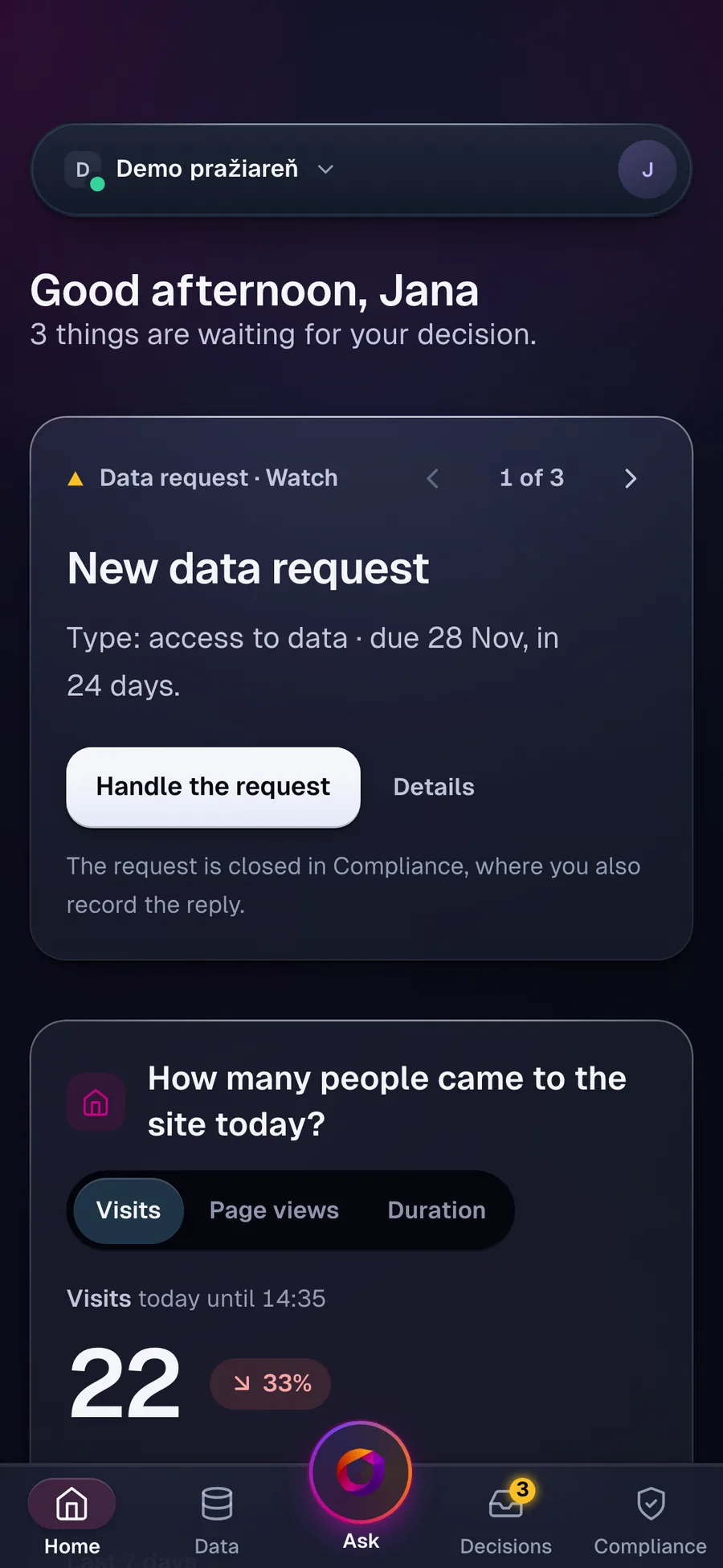
Home: one thing of the day and what to do about it.
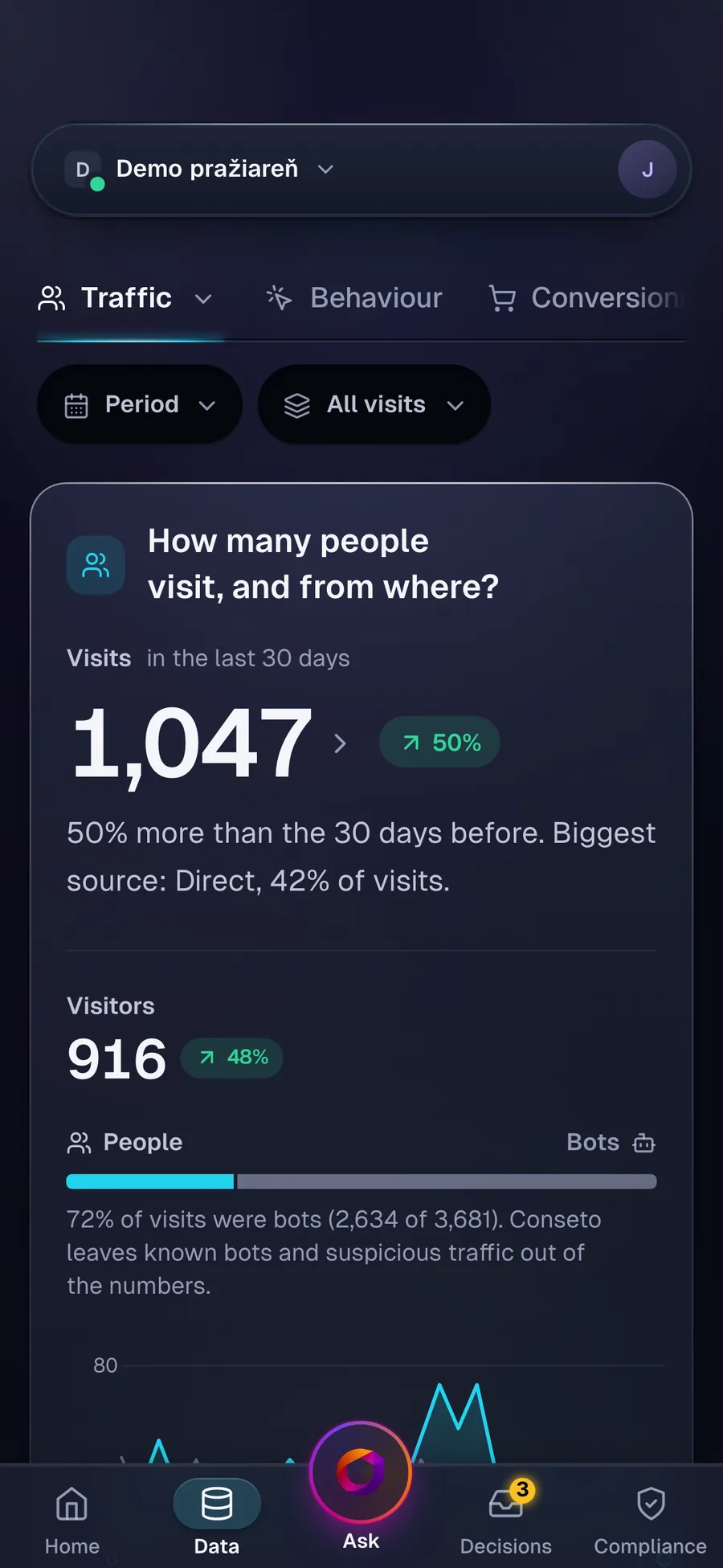
Data: visits, sources and conversions.
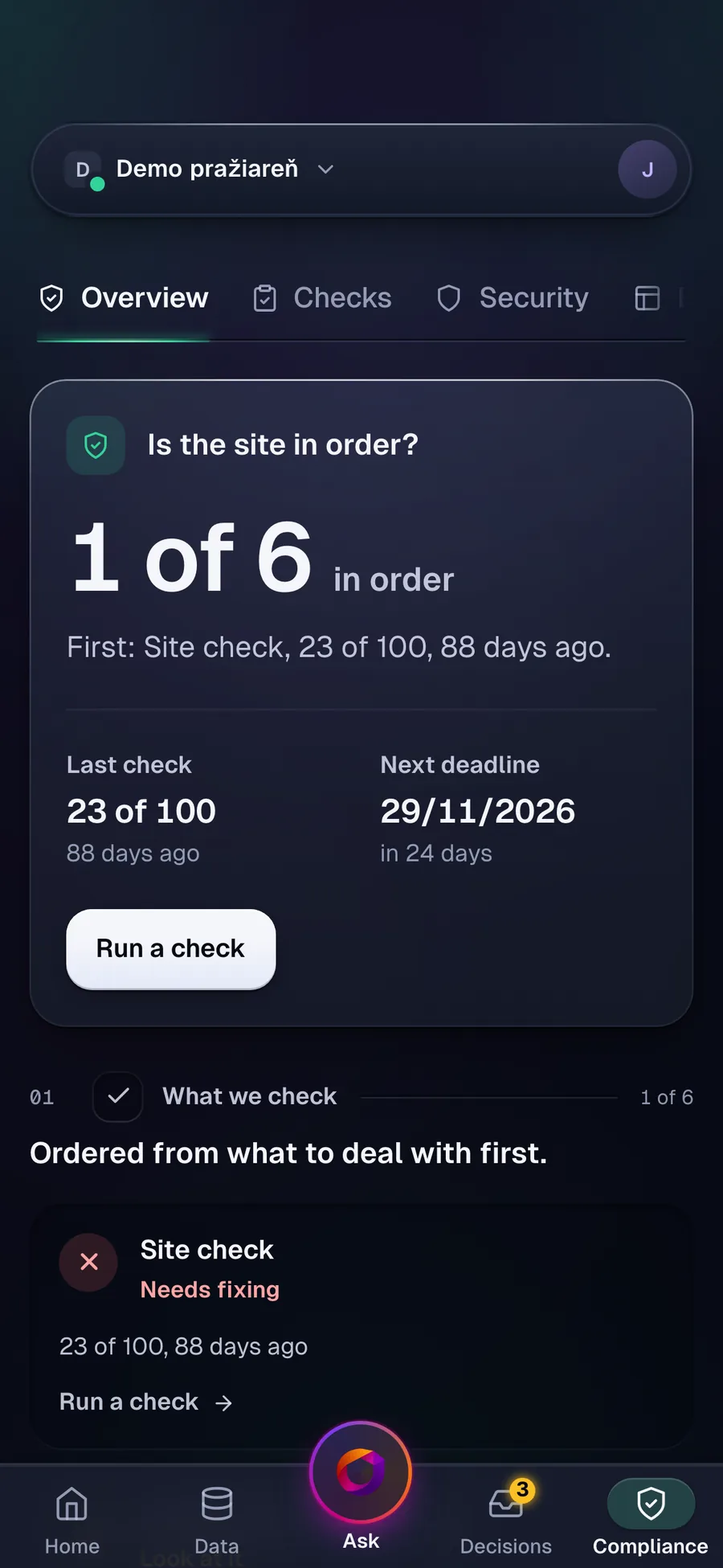
Compliance: consent, the banner and the site check.
From the Demo pražiareň project, not a real customer. The app speaks English and Slovak; you switch it in Settings, Preferences.
What the one script does
Each of these has its own page.
Analytics
Visits, sources, pages and events, with robots taken out. Measuring runs on every plan.
Learn moreBanner and consent
A banner in 10 languages, Consent Mode v2 and a record of every decision.
Learn moreCheck and security
A free check of your site and an on-demand security scan. A technical check, not a legal assessment.
Learn morePrefer your own tools?
Export the numbers as CSV (from the Starter plan) or read them through MCP in your own AI (from the Business plan).
Try it on your own site
Start free. When you are ready, move to an invoice.